Why Ecovacs cleaning robots suck, or why all cleaning robots in gerneral suck; but Ecovacs especially.
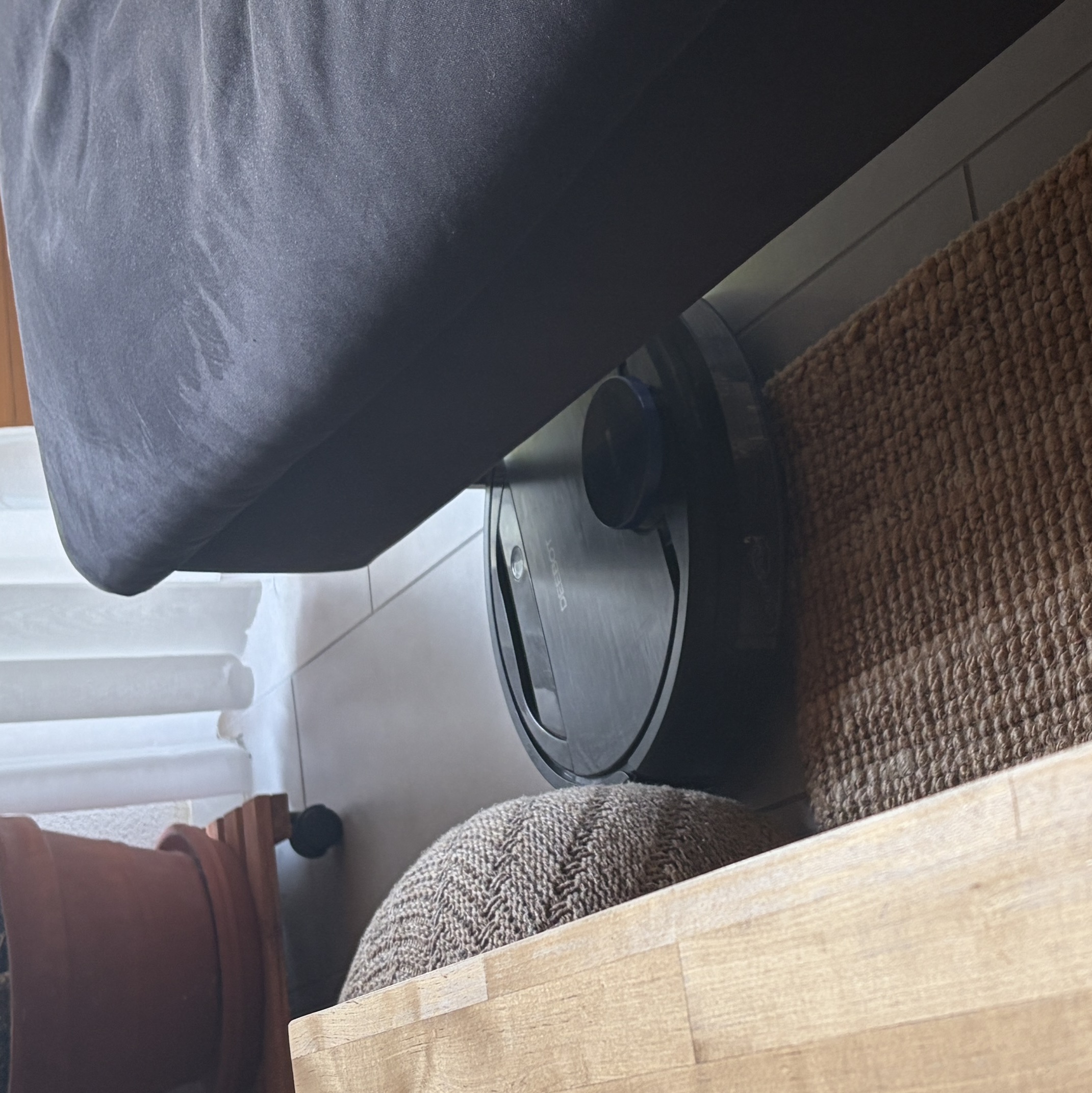
My cleaning robot stuck on the edge of my living room carpet. It is wedged between a pouf, a couch and the carpet.
About 1.5 years ago I got this old (well not really old, ~3.5 years at that time) cleaning robot from my mother because she moved to her new place and thus bought a new device. I thought: Nice! This little guy is going to help me keep my place more clean while I also save another electronic device from the landfill.
A Horrible Smartphone App
In principle, it is quiet simple to use: You just schedule cleaning times, preferably when you’re not at home and it cleans the floor. No questions asked, case closed. Or so I thought. I was so completly and utterly wrong, but I should have saw it coming: She warned me that sometimes it looses connection to the smartphone app and has to be reset. Resetting was the first thing I underestimated! It was by no means a simple or straightforward task. As with all good chinese electronics devices, you download their crappy mobile app and create a new user account1. Resetting the device means going through the following list, hoping nothing fails:
- Press the reset button for about 10 seconds
- Then it starts an wifi access point which you connect to
- Inside the app you scan for the device
- When connected to the devices AP, you specify your wifi SSID and passkey inside the app
- YOU PRAY THAT THE ROBOT CONNECTS TO THE GIVEN WIFI NETWORK. Because it might get to 80% and then decides to throw an error saying something like: “The device is not available”
- Rinse and repeat
At point 5 you might be thinking: Just restart the app, it might not detect your robot since it changed networks an the devices AP is closed. To which I would answer: No, the AP is still there and you have to redo the whole list. They sort of have a troubleshooting button, which ‘scanns’ your network and returns an error. Nice. If you give up on it, it makes this horrible pling noise every hour, reminding you to connect it to your smartphone app and wifi.
Halfbaked Features That Drive Me Nuts!
Lets get back to the “Help I’m stuck!” situation. Their app allows you to specify virtual borders. I configured two areas using virtual borders: The carpet at my living space and the bar at the kitchen. Those are areas the robot in theroy has no access to.
Well, I guess that was a lie:
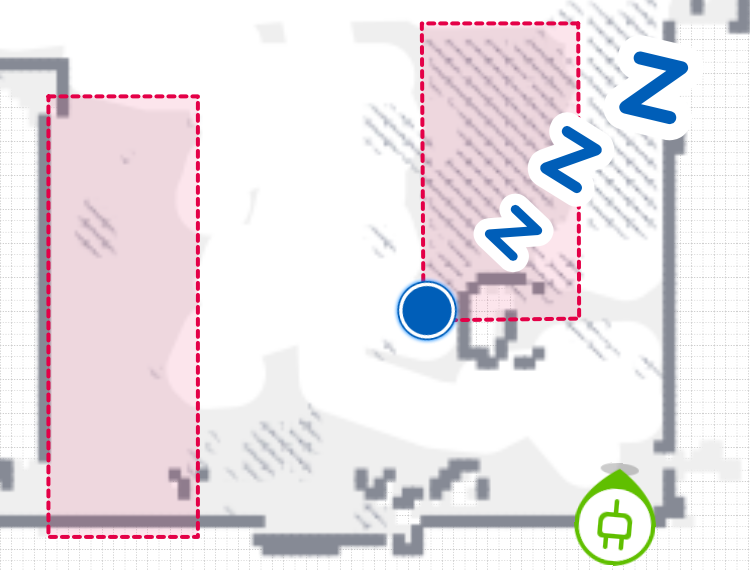
Blue circle: The cleaning robot. Red areas: Virtual borders. The robot clearly on an area where it shouldn’t be.
What is their logic behind virtual borders? Depending on the mood it might drive over it or it might not, who knows. This happend countless of times, not to mention all the other problems (e.g. reflection issues, caused by the the couch feet which result in navigation and position errors).
All in all, this houshold device is just an absolut mess and waste of time/nerves. You are better off just using your good ol’ dumb vaccum cleaner.
Tinfoil Theory: I bet they sell your user data to the highest bidder, this might as well include the floor plan of your place. ↩︎